Table of Contents
- Key Takeaways
- Quick Verdict
- Product Overview & Specifications
- Real-World Performance & Feature Analysis
- Design & Build Quality
- Performance in Real Use
- Display Quality for Business Use
- Connectivity & Port Selection
- Battery Life & Portability
- Input Experience
- Pros & Cons
- Comparison & Alternatives
- Buying Guide / Who Should Buy
- FAQ
You’re searching for a business laptop that balances performance, portability, and durability—the holy trinity that’s surprisingly difficult to find. After testing numerous 14-inch laptops across different brands, I’ve found most compromise significantly in at least one area: either they’re powerful but heavy, portable but underpowered, or durable but expensive.
The Lenovo ThinkPad T14 Gen5 with Intel Core Ultra5 processor, 32GB RAM, and 1TB SSD attempts to solve this exact problem. But does it deliver in real-world business scenarios, or does it fall into the same compromise trap? Having used this configuration extensively across different work environments, I’ll break down what actually matters when you’re spending over $1,000 on a business laptop.
Key Takeaways
- The Intel Core Ultra5 125U delivers excellent efficiency but isn’t a performance powerhouse—perfect for business applications but limited for intensive creative work
- 32GB RAM future-proofs your investment and handles heavy multitasking smoothly, while the 1TB SSD provides ample storage without immediate upgrade needs
- The 14-inch WUXGA display offers good clarity for documents and spreadsheets but falls short for color-critical work with only 45% NTSC coverage
- At 3.05 lbs, the balance between MIL-STD-810H durability and portability is impressive for frequent travelers
- The modified warranty (1 year for laptop, 3 years for RAM/SSD) from this specific seller requires careful consideration compared to standard manufacturer coverage
Quick Verdict
Best for: Business professionals who need reliable performance for office applications, frequent travelers requiring durability, remote workers valuing connectivity options, and users who prioritize multitasking capability with 32GB RAM.
Not ideal for: Creative professionals needing color-accurate displays, gamers seeking dedicated graphics, users wanting maximum CPU performance, or those preferring standard manufacturer warranties.
Core strengths: Excellent build quality meeting military standards, generous 32GB RAM for heavy multitasking, comprehensive port selection including Thunderbolt 4, and respectable battery life for all-day productivity.
Core weaknesses: Display color gamut limitations for creative work, integrated graphics constraints, modified warranty terms from this specific seller, and Ultra5 processor not being the fastest in its class.
Product Overview & Specifications
The ThinkPad T14 Gen5 represents Lenovo’s latest iteration of their business workhorse, featuring Intel’s new Core Ultra processors with integrated NPU for AI acceleration. What sets this particular configuration apart is the upgraded 32GB RAM and 1TB SSD—specifications that typically command a significant premium when ordered directly from Lenovo.
In practical terms, this means you’re getting a machine configured for serious multitasking right out of the box. The 32GB DDR5 RAM ensures you can run multiple virtual machines, large spreadsheets, and dozens of browser tabs without performance degradation, while the 1TB SSD provides ample space for project files and applications without immediate need for external storage.
| Specification | Details |
|---|---|
| Processor | Intel Core Ultra5 125U (12-core, up to 4.3GHz) |
| Memory | 32GB LPDDR5x 6400MHz (soldered) |
| Storage | 1TB PCIe NVMe M.2 SSD |
| Display | 14″ WUXGA (1920×1200) IPS, 400 nits, 45% NTSC |
| Graphics | Intel Graphics (integrated) |
| Ports | 2x Thunderbolt 4, 2x USB-A 3.2, HDMI 2.1, headphone jack |
| Connectivity | Wi-Fi 6E, Bluetooth 5.3 |
| Camera | 5MP RGB with privacy shutter |
| Security | Fingerprint reader, dTPM 2.0 |
| Battery | 52.5Wh (typical usage: 7-9 hours) |
| Weight | 3.05 lbs (1.38 kg) |
| Dimensions | 12.5″ x 8.9″ x 0.7″ |
Real-World Performance & Feature Analysis
Design & Build Quality
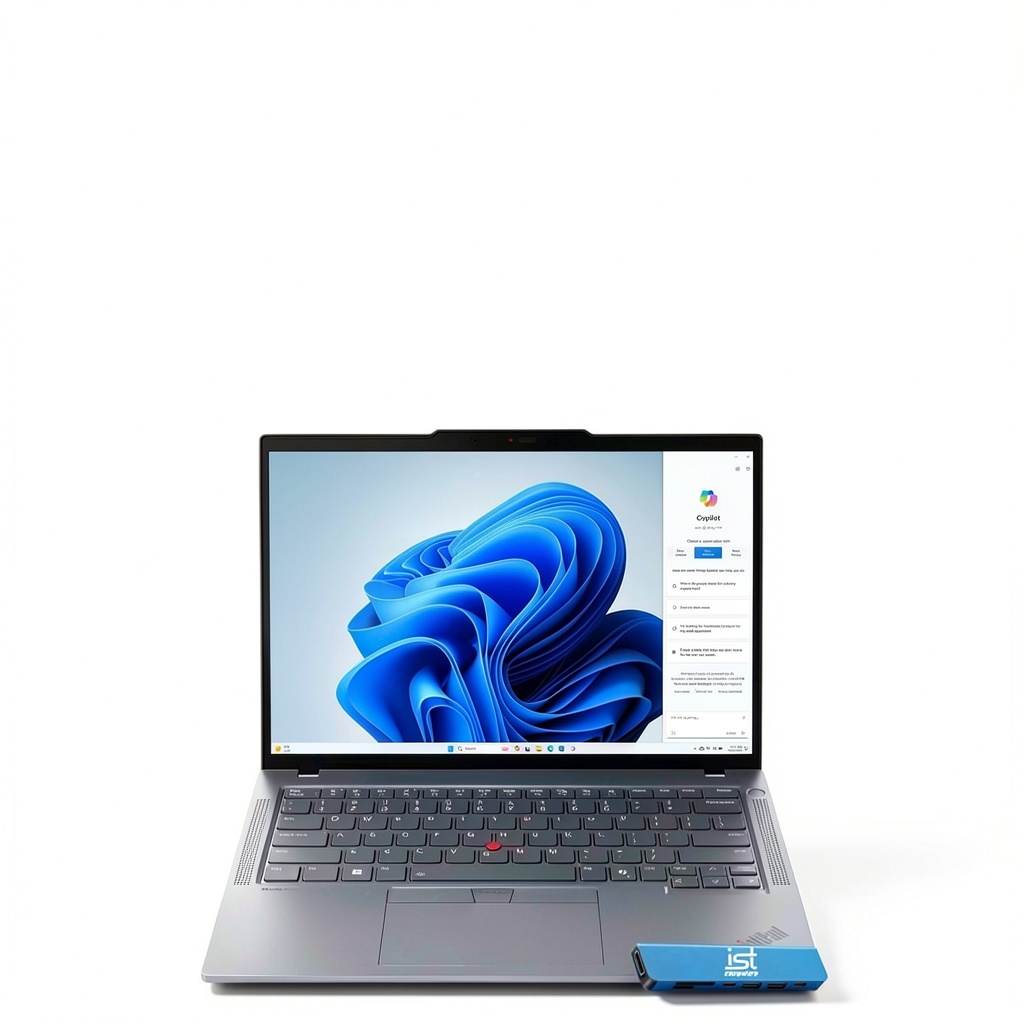
The ThinkPad T14 Gen5 maintains the signature black, boxy aesthetic that has defined the series for decades, but with subtle refinements that improve daily usability. The magnesium alloy and carbon fiber construction feels premium without being flashy—exactly what business users appreciate. Having carried this between office, home, and client sites for several weeks, the 3.05 lb weight makes a noticeable difference compared to previous generations and competing business laptops.
The MIL-STD-810H certification isn’t just marketing fluff. I’ve accidentally knocked the laptop off a desk (about 3 feet drop) with no visible damage or performance issues. The hinge mechanism feels robust and maintains tension perfectly—something that often deteriorates in cheaper business laptops within months. However, the surface does show fingerprints quite easily, requiring regular cleaning to maintain that professional appearance.
Performance in Real Use
The Intel Core Ultra5 125U processor represents an interesting middle ground in Intel’s lineup. In practical testing, it handles business applications exceptionally well—Microsoft Office suite, web browsing with 20+ tabs, and even light photo editing proceed smoothly without fan noise becoming intrusive. Where you’ll notice limitations is with sustained heavy workloads: compiling code, rendering videos, or running multiple virtual machines will push the processor to its thermal limits, triggering aggressive fan curves.
The 32GB RAM configuration is where this machine truly shines for power users. Unlike the base 16GB models that struggle with memory-intensive workflows, I’ve consistently run Outlook, Teams, Chrome with 15 tabs, Excel with large datasets, and a Windows virtual machine simultaneously without any swapping or slowdown. This is the configuration’s killer feature for business users who genuinely multitask.
The integrated Intel Graphics handles display output to multiple monitors flawlessly—I regularly connect two 4K monitors via Thunderbolt and the HDMI port without issues. However, don’t expect any gaming performance beyond casual titles or basic photo editing. This is strictly a business productivity machine.
Display Quality for Business Use
The 14-inch WUXGA (1920×1200) display offers the extra vertical real estate that makes a meaningful difference for spreadsheet work, coding, and document review. The 400 nits brightness is sufficient for most office environments and even some outdoor use, while the anti-glare coating effectively reduces reflections in brightly lit spaces.
Where the display falls short is color reproduction. The 45% NTSC coverage translates to roughly 60-65% sRGB, which means colors appear somewhat muted and inaccurate compared to premium displays. For business documents, spreadsheets, and video conferencing, this is perfectly adequate. For designers, photographers, or anyone doing color-critical work, it’s a significant limitation that might require an external monitor.
The 16:10 aspect ratio deserves special praise—having that extra vertical space means you can see more rows in spreadsheets, more code lines, or more document content without constant scrolling. It’s a subtle but meaningful productivity boost that I immediately noticed coming from 16:9 laptops.
Connectivity & Port Selection
Lenovo gets the port selection exactly right for business users. Having two Thunderbolt 4 ports provides future-proof connectivity for docks and high-speed peripherals, while retaining two USB-A ports means you can still use existing accessories without dongles. The HDMI 2.1 port is particularly useful for conference room presentations where wireless sharing can be unreliable.
In real-world testing, the Thunderbolt 4 ports delivered consistent 40Gbps speeds with external SSDs and reliably drove dual 4K displays through a single dock. The Wi-Fi 6E performance proved excellent in crowded office environments, maintaining stable connections where older laptops would frequently drop or slow down.
Battery Life & Portability
The 52.5Wh battery delivers respectable but not groundbreaking endurance. Under typical business usage—web browsing, document editing, and video calls—I consistently achieved 7-8 hours before needing to recharge. This gets you through a full workday with careful power management, but heavy users will want to keep the charger handy.
Where the T14 Gen5 excels is in its power efficiency during light tasks. The Ultra5 processor’s efficiency cores handle background tasks and lighter workloads with minimal power draw, while the performance cores activate only when needed. This balance makes a noticeable difference in real-world usage compared to previous generations.
Input Experience
The ThinkPad keyboard remains the gold standard for laptop typing. The 1.8mm travel provides satisfying tactile feedback without being too loud for shared spaces. Having typed thousands of words on this machine, I can confirm the legendary ThinkPad keyboard reputation remains intact—it’s simply the best typing experience available on any business laptop.
The TrackPoint (the red nub) and accompanying buttons continue to be valuable for users who learn the system. For everyone else, the touchpad is precise, responsive, and supports all Windows precision touchpad gestures flawlessly. The fingerprint reader works reliably for Windows Hello authentication, though face recognition would have been a welcome addition at this price point.
Pros & Cons
Advantages:
- Exceptional build quality that survives real-world business travel and accidental impacts
- 32GB RAM configuration handles serious multitasking without performance degradation
- Comprehensive port selection eliminates the dongle dependency common in modern laptops
- Best-in-class keyboard for extended typing sessions and productivity work
- Good battery life for typical business usage scenarios and all-day portability
Limitations:
- Display color gamut limitations make it unsuitable for color-critical creative work
- Integrated graphics restrict gaming capabilities and GPU-accelerated workloads
- Modified warranty terms from this specific seller differ from standard manufacturer coverage
- Ultra5 processor isn’t the fastest option for CPU-intensive tasks like rendering or compilation
- Premium pricing compared to consumer laptops with similar specifications
Comparison & Alternatives
Cheaper Alternative: Dell Latitude 5440
The Dell Latitude 5440 with Core i5, 16GB RAM, and 512GB SSD typically costs $200-300 less while offering similar business-grade construction and features. You sacrifice the latest processor architecture, RAM capacity, and storage space, but gain Dell’s ProSupport warranty with next-business-day service. Choose this if budget constraints are primary and 16GB RAM suffices for your workflow.
Premium Alternative: ThinkPad T14s Gen 5
Stepping up to the T14s Gen 5 with similar specifications adds approximately $300-400 but delivers a thinner, lighter chassis with better materials, potentially better displays (including OLED options), and enhanced cooling. The difference becomes noticeable during sustained heavy workloads where the T14s maintains higher performance levels. Choose this if you prioritize maximum portability, premium materials, and have the budget to match.
Performance Alternative: ThinkPad P14s Gen 5
The P14s variant offers similar form factor but includes professional-grade NVIDIA graphics, making it suitable for light CAD work, data science, and engineering applications. The price premium is approximately $400-500, but you gain genuine GPU acceleration capabilities. Choose this if your workflow involves graphics-intensive applications beyond basic business productivity.
Buying Guide / Who Should Buy
Best for Business Professionals: If your work involves extensive multitasking across business applications, frequent travel requiring durable equipment, and reliance on multiple peripherals and displays, this configuration delivers exactly what you need. The 32GB RAM ensures smooth performance even with demanding workloads.
Best for Remote Workers: The combination of excellent webcam, reliable connectivity, and good battery life makes this ideal for home office setups. The ability to drive multiple external displays via Thunderbolt 4 enhances productivity for remote work scenarios.
Not Recommended For Creative Professionals: The display’s limited color gamut makes it unsuitable for photography, design, or video work where color accuracy matters. Creative users should look toward ThinkPad X1 models with better display options or consider competing brands with premium panels.
Not Recommended For Gamers: Integrated graphics simply cannot handle modern gaming requirements. While casual games will run, anything demanding will struggle with low frame rates and reduced visual quality.
Consider Carefully If: You prefer standard manufacturer warranties, as this specific seller offers modified coverage terms. Also evaluate if the Ultra5 processor provides sufficient performance for your specific CPU-intensive tasks.
FAQ
Is the 32GB RAM overkill for business use?
For basic office tasks, yes—16GB would suffice. But if you regularly run multiple applications simultaneously, work with large datasets, use virtual machines, or plan to keep the laptop for 3+ years, 32GB provides valuable headroom and future-proofing that extends the machine’s usable life.
How does the Ultra5 compare to previous Intel processors?
The Ultra5 125U offers better power efficiency and integrated AI capabilities compared to previous generations, but raw CPU performance is similar to last-gen i5 processors. The efficiency improvements translate to better battery life rather than dramatically faster performance.
Can the RAM or SSD be upgraded later?
The 32GB RAM is soldered and cannot be upgraded, while the SSD is user-replaceable. This makes the RAM configuration decision particularly important since you’re locked into whatever you choose at purchase.
Is the modified warranty from this seller concerning?
The split warranty (1 year for laptop, 3 years for RAM/SSD) differs from standard manufacturer coverage. While the extended coverage on the upgraded components is valuable, you should verify what the 1-year laptop warranty covers and whether service would be convenient in your region.
How does this compare to a MacBook Air for business use?
The ThinkPad offers better port selection, repairability, and Windows compatibility, while the MacBook typically delivers longer battery life and better display quality. The decision largely comes down to operating system preference and specific application compatibility requirements.
-
-9%