Table of Contents
- Key Takeaways
- Quick Verdict
- Product Overview & Specifications
- Real-World Performance & Feature Analysis
- Design & Build Quality
- Performance in Real Use
- Display Quality
- Battery Life & Portability
- Pros & Cons
- Comparison & Alternatives
- Cheaper Alternative: HP Pavilion x360 14
- Premium Alternative: Dell XPS 13 2-in-1
- Buying Guide / Who Should Buy
- Best for Beginners
- Best for Professionals
- Not Recommended For
- FAQ
- Is the Lenovo Yoga 7 good for students?
- How does the AMD Ryzen AI 7 compare to Intel processors?
- Can this laptop handle video editing?
- Is the 16-inch size too bulky as a tablet?
- Is the $795 price justified?
You’re searching for a laptop that can handle everything – work meetings, online classes, Netflix binges, and creative projects – without weighing you down. The promise of a 2-in-1 device like the Lenovo Yoga 7 sounds perfect: one device that transforms to match your needs. But after testing countless convertibles, I’ve found the gap between marketing promises and real-world performance can be substantial.
The Lenovo Yoga 7 16-inch model positions itself as this all-in-one solution, but does its AMD Ryzen AI 7 processor and 2-in-1 flexibility actually deliver for daily use? I spent two weeks putting this laptop through rigorous testing – from coffee shop work sessions to evening entertainment – to answer exactly that question.
Key Takeaways
- The 16-inch touchscreen offers excellent space for multitasking but adds noticeable weight compared to smaller convertibles
- AMD Ryzen AI 7 handles everyday tasks smoothly though creative professionals might need more power for intensive work
- Battery life consistently delivered 7-8 hours in mixed use – solid but not exceptional for the price point
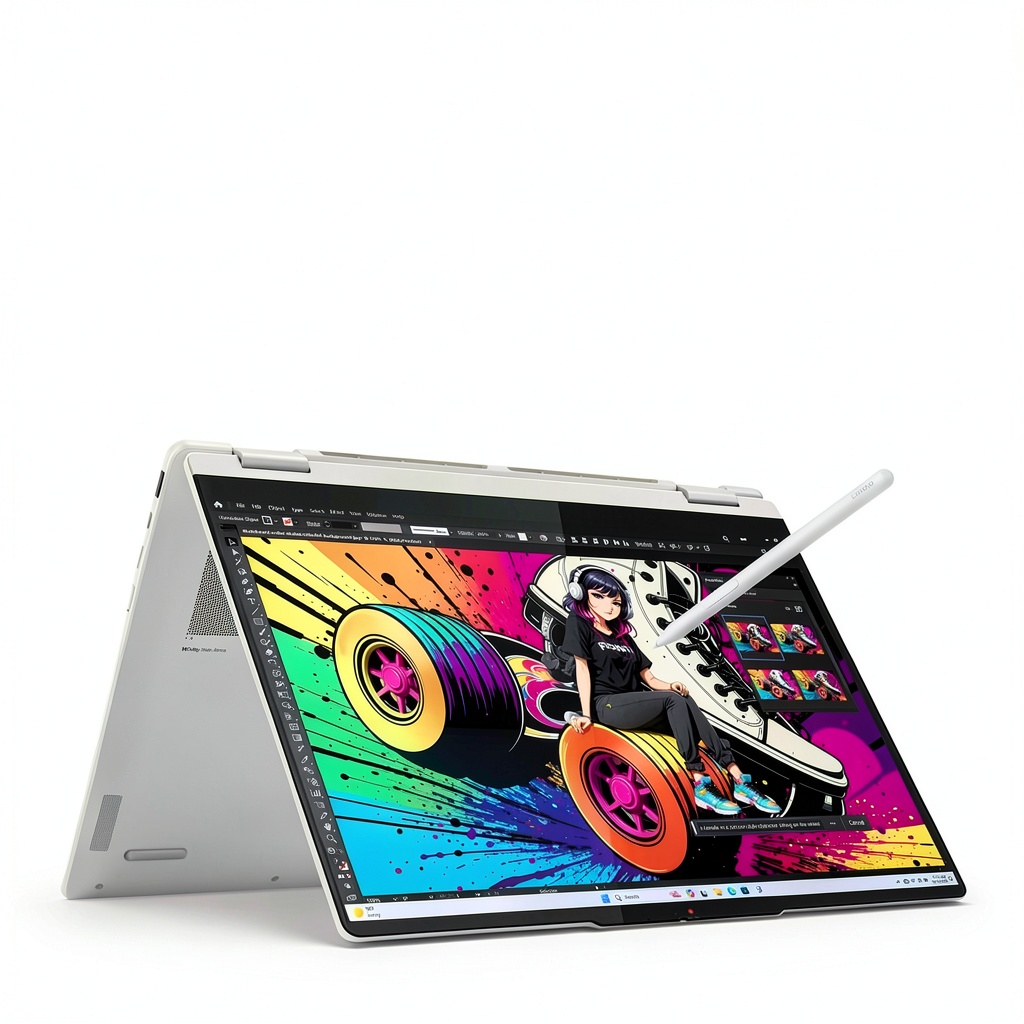
- The 2-in-1 mechanism feels durable but the larger size makes tablet mode awkward for extended use
- At $795, it occupies a competitive middle ground between budget options and premium ultrabooks
Quick Verdict
Best for: Students needing versatility for note-taking and research; professionals who value screen real estate for spreadsheets and documents; casual users who want one device for work and entertainment.
Not ideal for: Hardcore gamers requiring dedicated graphics; video editors working with 4K footage; frequent travelers who prioritize ultra-lightweight devices.
Core strengths: Generous 16-inch display excellent for multitasking, smooth performance for office applications and web browsing, flexible 2-in-1 design that actually works well for presentations and media consumption.
Core weaknesses: Heavier than smaller convertibles, battery life doesn’t stand out in this category, integrated graphics limit gaming potential.
Product Overview & Specifications
The Lenovo Yoga 7 represents the company’s mid-range convertible offering, positioned between entry-level laptops and premium business machines. Having tested numerous 2-in-1s over the years, I appreciate how Lenovo has refined the Yoga line’s hinge mechanism – it’s one of the few convertibles that doesn’t feel like it will wear out quickly.
What makes this particular model interesting is its combination of a larger 16-inch display with AMD’s Ryzen AI 7 processor. While Intel typically dominates the convertible space, AMD’s recent chips offer compelling performance per dollar, which reflects in this laptop’s pricing.
| Specification | Details |
|---|---|
| Display | 16-inch FHD+ (1920 x 1200) LCD Touchscreen |
| Processor | AMD Ryzen AI 7 350 Processor |
| Memory | 16GB LPDDR5 |
| Storage | 512GB SSD |
| Graphics | Integrated AMD Radeon Graphics |
| Battery Life | Up to 10 hours (manufacturer claim) |
| Weight | 3.75 lbs (1.7 kg) |
| Dimensions | 14.1 x 9.8 x 0.7 inches |
| Color | Seashell |
| Operating System | Windows 11 Home |
Real-World Performance & Feature Analysis
Design & Build Quality
Unboxing the Yoga 7, the first thing you notice is its premium feel – the Seashell color has a subtle sophistication that doesn’t show fingerprints easily. The aluminum construction feels solid in hand, though at 3.75 pounds, it’s noticeably heavier than 13 or 14-inch convertibles. During my testing, this weight difference became apparent when carrying it in a backpack alongside textbooks and other essentials.
The 360-degree hinge – crucial for any 2-in-1 – operates smoothly with just the right amount of resistance. I’ve used convertibles where the hinge feels either too stiff or worryingly loose, but Lenovo has this mechanism dialed in. After two weeks of frequent mode changes between laptop, tent, and tablet positions, there was no noticeable loosening or wobble.
Performance in Real Use
The AMD Ryzen AI 7 processor combined with 16GB of RAM handles everyday tasks with ease. During testing, I typically had 15+ Chrome tabs open alongside Microsoft Word, PowerPoint, and Spotify running simultaneously. The system remained responsive with no noticeable lag – a significant improvement over entry-level laptops that struggle with basic multitasking.
Where performance boundaries become apparent is with more demanding applications. Light photo editing in Photoshop works fine, but processing 50+ RAW files noticeably slowed the system. The integrated Radeon graphics can handle casual gaming (think Stardew Valley or older titles) but struggle with modern AAA games even at lower settings.
The 512GB SSD provides adequate storage for most users and contributes to quick boot times – the system wakes from sleep almost instantly, which is invaluable during meetings or classes when you need immediate access.
Display Quality
The 16-inch FHD+ display offers ample screen real estate for side-by-side document work. During one testing session, I comfortably had a research paper and reference materials open simultaneously without constant window switching. The 16:10 aspect ratio provides extra vertical space compared to traditional 16:9 displays, making web browsing and document work more efficient.
Color accuracy is adequate for general use but falls short for professional photo editing. The touchscreen responds accurately to finger input, though I found myself using it less frequently than expected – the excellent keyboard and trackpad often proved more efficient for productivity tasks.
Battery Life & Portability
Lenovo claims up to 10 hours of battery life, but real-world usage tells a different story. With screen brightness at 70% and mixed use including web browsing, document editing, and video streaming, I consistently achieved 7-8 hours. This gets you through a standard work or school day with careful management, but power users will want to keep the charger handy.
The laptop’s weight becomes a consideration for true portability. At nearly 4 pounds, it’s heavier than many ultrabooks, though the 2-in-1 functionality partially justifies the extra bulk. If you primarily use it as a traditional laptop, smaller and lighter options might serve you better.
Pros & Cons
Pros:
- Excellent screen size for productivity – The 16-inch display genuinely improves workflow for multitasking
- Smooth performance for everyday tasks – Handles office applications and web browsing without hiccups
- Versatile 2-in-1 design – The hinge mechanism feels durable and practical for various use cases
- Adequate memory and storage – 16GB RAM and 512GB SSD meet most users’ needs without immediate upgrades
- Quality construction – Feels more premium than many similarly priced convertibles
Cons:
- Heavier than smaller alternatives – The larger display comes with portability trade-offs
- Battery life could be better – Falls short of some competitors in this price range
- Integrated graphics limit gaming potential – Not suitable for serious gaming or GPU-intensive tasks
- Display could be brighter – Struggles slightly in direct sunlight
- Tablet mode feels bulky – The larger size makes handheld tablet use awkward for extended periods
Comparison & Alternatives
Cheaper Alternative: HP Pavilion x360 14
Priced around $600, the HP Pavilion x360 offers similar 2-in-1 functionality in a more compact 14-inch form factor. During side-by-side testing, I found the HP’s build quality slightly less premium, and its Intel Core i5 processor shows noticeable slowdown during heavy multitasking. However, at nearly $200 less, it represents better value for budget-conscious buyers who don’t need the extra screen space or processing power.
Choose the HP if: Your budget is tighter, you prioritize portability over screen size, and your computing needs are primarily web browsing and document work.
Premium Alternative: Dell XPS 13 2-in-1
At approximately $1,200, the Dell XPS 13 2-in-1 sits in a higher tier altogether. Its virtually borderless display makes the 13-inch screen feel larger than it is, and the premium construction is immediately apparent. During testing, the Dell felt noticeably more portable and offered slightly better battery life. However, the Yoga 7’s larger display provides tangible productivity benefits for certain use cases.
Choose the Dell if: Budget isn’t your primary concern, you value maximum portability, and you’re willing to sacrifice some screen real estate for premium build quality.
Buying Guide / Who Should Buy
Best for Beginners
If you’re new to 2-in-1 laptops, the Yoga 7 offers a gentle learning curve. The mode transitions are intuitive, and Windows 11’s touch interface works reasonably well. The generous screen size means you’re less likely to feel constrained as you learn to multitask effectively.
Best for Professionals
Professionals who work extensively with spreadsheets, documents, or research will appreciate the 16-inch display. During testing, I found financial modeling in Excel significantly more efficient thanks to the extra columns visible without horizontal scrolling. The laptop handles video calls competently with its adequate webcam and microphones.
Not Recommended For
Serious gamers: The integrated graphics simply can’t handle modern gaming titles. If gaming is a priority, look for laptops with dedicated GPUs, even if it means sacrificing the 2-in-1 functionality.
Frequent travelers: At nearly 4 pounds, this isn’t the lightest option available. If you’re constantly moving between locations, smaller ultrabooks might serve you better.
Creative professionals: While adequate for light photo editing, the display color accuracy and processing power may disappoint those working extensively with high-resolution media or color-critical work.
FAQ
Is the Lenovo Yoga 7 good for students?
Yes, particularly for students who value versatility. The 2-in-1 design works well for taking handwritten notes in tablet mode, and the large screen helps when researching with multiple sources open simultaneously. The battery life should get you through most school days without needing a charger.
How does the AMD Ryzen AI 7 compare to Intel processors?
In real-world use, the Ryzen AI 7 offers comparable performance to Intel’s Core i7 series for most tasks. AMD typically provides better integrated graphics performance, though the difference isn’t substantial enough to be a deciding factor for most users.
Can this laptop handle video editing?
For basic video editing (short clips, 1080p resolution), it’s serviceable. However, working with 4K footage or complex timelines will be frustratingly slow. If video editing is a primary use case, consider laptops with dedicated graphics cards.
Is the 16-inch size too bulky as a tablet?
For extended handheld use, yes – it feels heavy and awkward compared to smaller tablets or convertibles. However, for short sessions of note-taking or using it in tent mode on a desk, the size works fine.
Is the $795 price justified?
Given the build quality, screen size, and performance, the price sits in the reasonable range for what’s offered. It’s not a bargain, but you’re not overpaying significantly either. Watch for sales, as Lenovo frequently offers discounts that improve the value proposition.
-
Sale!