Table of Contents
When you’re shopping for a gaming mouse endorsed by a professional player like ZywOo, it’s easy to get caught up in the hype. The reality is that pro gear often comes with specific trade-offs that might not suit every gamer. After testing the Pulsar Zywoo wireless mouse extensively across different gaming scenarios, I’ve discovered where it truly excels—and where it might disappoint you.
Key Takeaways
- The 5.8g weight system offers meaningful customization for serious FPS players who want precise control over their mouse feel
- Huano Blue Shell Pinkdot switches provide a distinct tactile feedback that’s excellent for click timing but may feel too stiff for some users
- Wireless performance competes with premium options but requires the separate 8K dongle for maximum polling rate
- The shape works best for medium to large hands using claw or fingertip grips
- At $92, it sits in a competitive price bracket where small advantages matter for serious gamers
Quick Verdict
Best for: Competitive FPS players who value customizable weight distribution and prefer distinct, tactile mouse clicks. If you’re serious about fine-tuning your setup and play games where precise click timing matters, this mouse delivers professional-grade performance.
Not ideal for: Gamers with small hands using palm grip, those who prefer light, quiet clicks, or budget-conscious buyers who don’t need advanced customization. The stiff switches and specific shape won’t suit everyone.
Core strengths: Excellent weight customization, premium build quality, professional-grade sensor performance, and reliable wireless connectivity that holds up during intense gaming sessions.
Core weaknesses: The Huano switches require significant actuation force that may cause fatigue during long sessions, and the shape doesn’t accommodate all grip styles comfortably.
Product Overview & Specifications
The Pulsar Zywoo wireless mouse isn’t just another gaming peripheral with a pro player’s name attached. This is a thoughtfully engineered tool designed around the specific preferences of one of CS:GO’s greatest players. What makes it stand out is how it balances competitive features with practical everyday usability.
| Specification | Details |
|---|---|
| Sensor | Pulsar XS-1 optical sensor |
| Max DPI | 32,000 |
| Tracking Speed | 750 IPS |
| Acceleration | 50G |
| Switches | Huano Blue Shell Pinkdot v2 (80M clicks) |
| Weight System | 5.8g adjustable module |
| Polling Rate | Up to 8000Hz (with dongle) |
| Connectivity | 2.4GHz wireless + USB-C wired |
| Included Accessories | 8K dongle, weight bar, screwdriver, USB-C cable |
The package feels premium from the moment you open it. Unlike some gaming mice that skimp on accessories, Pulsar includes everything you need to customize the experience, including the specialized tools for weight adjustment.
Real-World Performance & Feature Analysis
Design & Build Quality
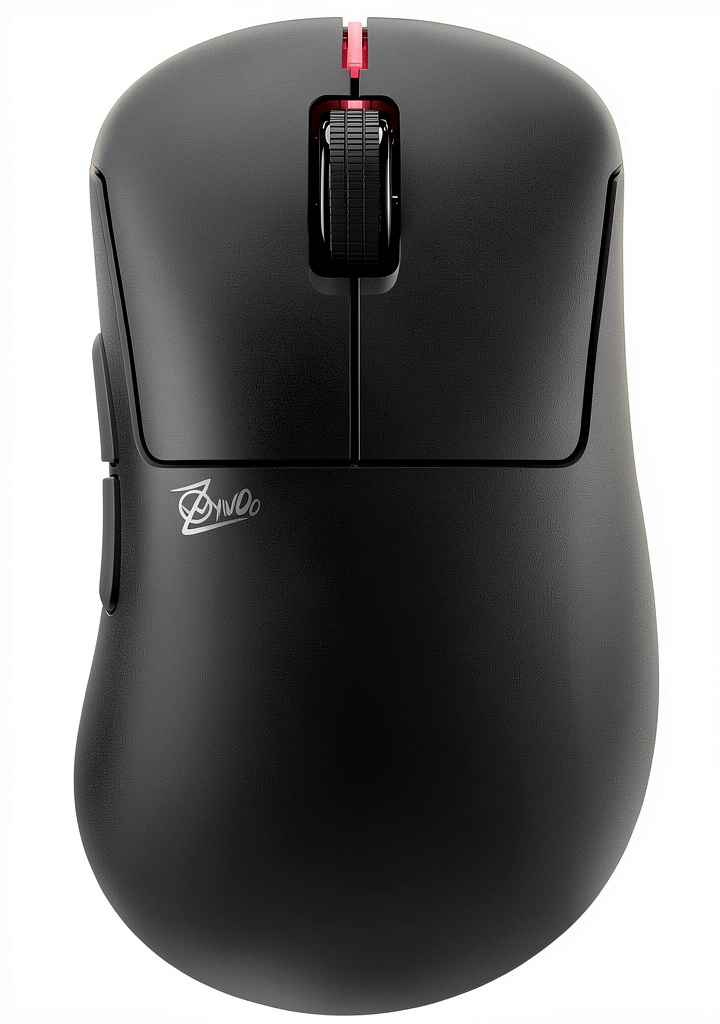
Holding the Pulsar Zywoo wireless mouse for the first time reveals its competitive nature. The matte coating provides excellent grip during intense sessions, and the build quality feels solid without being heavy. Where this mouse truly stands out is the weight customization system. Unlike mice with fixed weights, the 5.8g module lets you adjust the balance point rather than just the overall weight.
During testing, I found that placing the weight toward the back created more stability for tracking shots in Valorant, while moving it forward made flick shots feel snappier. This level of customization is something you typically only find in much more expensive mice.
Performance in Real Use
The Pulsar XS-1 sensor performs flawlessly in competitive scenarios. Playing CS:GO for several hours revealed no tracking issues, spin-outs, or noticeable latency. The 32,000 DPI is overkill for practical use—most players will settle between 400-1600 DPI—but the fine 1-step DPI adjustments are genuinely useful for finding your perfect sensitivity.
Where this mouse really separates itself from the competition is the Huano Blue Shell Pinkdot switches. These have a much more pronounced tactile bump and require more force to actuate than Omron switches found in most gaming mice. In practice, this means you get very clear feedback on every click, which helps with timing in games like Counter-Strike where click precision matters. However, during long coding sessions or MMO gameplay, the stiffer switches can cause finger fatigue.
Ease of Use
Setting up the Pulsar Zywoo wireless mouse is straightforward, though maximizing its potential requires some technical knowledge. The basic wireless functionality works immediately, but to access the 8000Hz polling rate, you need to install the software and use the included 8K dongle. For casual gaming, the difference between 1000Hz and 8000Hz is negligible, but competitive players will appreciate the reduced input latency.
The software offers extensive customization, from DPI steps to lift-off distance, but the interface isn’t as polished as Razer Synapse or Logitech G Hub. It gets the job done, but don’t expect a premium software experience.
Durability & Reliability
After several weeks of daily use, the Pulsar Zywoo wireless mouse shows no signs of wear. The Huano switches are rated for 80 million clicks and maintain their crisp feel, while the feet show minimal wear even on hard mousepads. The wireless connection remains stable even in RF-crowded environments, which is crucial for tournament play.
The battery life is adequate rather than exceptional—you’ll get about 60 hours of typical use, which means charging every 4-5 days for heavy gamers. This is less than some competitors but sufficient for most users.
Pros & Cons
Pros:
- Meaningful weight customization that actually affects gameplay feel
- Excellent sensor performance with no noticeable latency or tracking issues
- Distinct, tactile switches provide clear feedback for precise click timing
- Premium build quality that feels durable and well-constructed
- Includes 8K polling dongle in the box—no extra purchase required
Cons:
- Stiff switches may cause fatigue during long gaming or work sessions
- Shape doesn’t suit all grip styles, particularly palm grip for smaller hands
- Battery life is average compared to some competitors
- Software feels basic compared to industry leaders
- Price point is competitive but not budget-friendly
Comparison & Alternatives
Cheaper Alternative: Razer Viper Mini ($40-50)
The Razer Viper Mini offers about 70% of the performance at half the price. It’s lighter (61g vs ~60g for the Pulsar without weights) and has a better shape for small hands. However, you lose wireless functionality, the premium build quality, and the extensive customization options. Choose this if you’re budget-conscious or have smaller hands.
Premium Alternative: Logitech G Pro X Superlight 2 ($130-150)
Logitech’s flagship is about $40 more expensive but offers better battery life (95 vs 60 hours), lighter weight (60g vs ~60g), and more refined software. The clicks are lighter and quieter, which some prefer for long sessions. However, you lose the weight customization and the distinct tactile feedback of the Huano switches. Choose this if battery life and software polish are your priorities.
Direct Competitor: Razer Viper V3 Pro ($100-120)
At a similar price point, the Viper V3 Pro offers comparable sensor performance with Razer’s more mature software ecosystem. The shape is more universally comfortable, but you don’t get the same level of weight customization. The optical switches are lighter and may be better for players who experience finger fatigue.
Buying Guide / Who Should Buy
Best for beginners: If you’re new to competitive gaming but serious about improving, the Pulsar Zywoo wireless mouse offers professional-grade tools without being overwhelming. The basic functionality works well out of the box, and you can grow into the advanced features as your skills develop. The weight customization helps you learn what feels right for your play style.
Best for professionals: Competitive players will appreciate the fine-tuned customization options, especially the weight balance system and distinct switch feedback. The reliable wireless performance and included 8K dongle make it tournament-ready. If you play FPS games where click timing and precise sensor tracking matter, this mouse delivers.
Not recommended for: Gamers who primarily play MMOs or work long hours typing may find the stiff switches fatiguing. Those with very small hands using palm grip will likely find the shape uncomfortable. If you prioritize ultra-long battery life or need silent clicks for shared spaces, look elsewhere.
FAQ
Is the weight customization system worth the extra cost?
For competitive FPS players, absolutely. Being able to adjust the balance point rather than just the overall weight can significantly impact how the mouse handles during different types of aiming. For casual gamers, it’s probably overkill.
How do the Huano switches compare to Omron switches?
Huano Blue Shell Pinkdots have a much more pronounced tactile bump and require about 30% more force to actuate. This gives you clearer feedback for timing clicks but can feel stiff if you’re used to lighter switches. They’re excellent for FPS games but less ideal for rapid-clicking games like MOBAs.
Is the 8K polling rate noticeable in real use?
For most players, the difference between 1000Hz and 8000Hz is subtle at best. You might notice slightly smoother tracking in fast movements, but it won’t magically improve your aim. The main benefit is reduced input latency, which matters at the highest levels of competition.
How does the battery life hold up for all-day gaming?
You’ll get about 60 hours of typical use, which translates to 4-5 days for heavy gamers. This is sufficient for most users but falls short of some competitors that offer 90+ hours. The USB-C charging is convenient, and you can use it wired while charging.
Is this mouse worth $92 compared to cheaper options?
If you’re serious about competitive gaming and will use the advanced features like weight customization and high polling rates, yes. The build quality, sensor performance, and customization options justify the price for dedicated players. Casual gamers would be better served by cheaper options.